PDF viewer and editor for Windows
PDF Viewer Native
A private, script-free PDF viewer and editor for Windows, with its own open-source PDF engine.
- No telemetry
- Document JavaScript never runs
- MIT licence
The Microsoft Store signs the app and installs its updates. For a machine without the Store, the portable PdfViewer.exe and the installer (PdfViewerSetup.exe) are on GitHub releases: Windows 10 version 2004 or later, or Windows 11, x64, with the .NET 9 Desktop Runtime. They are signed with the project's own self-signed certificate, so SmartScreen can show a warning (code signing policy).
One engine
On Windows, in the browser and on Android
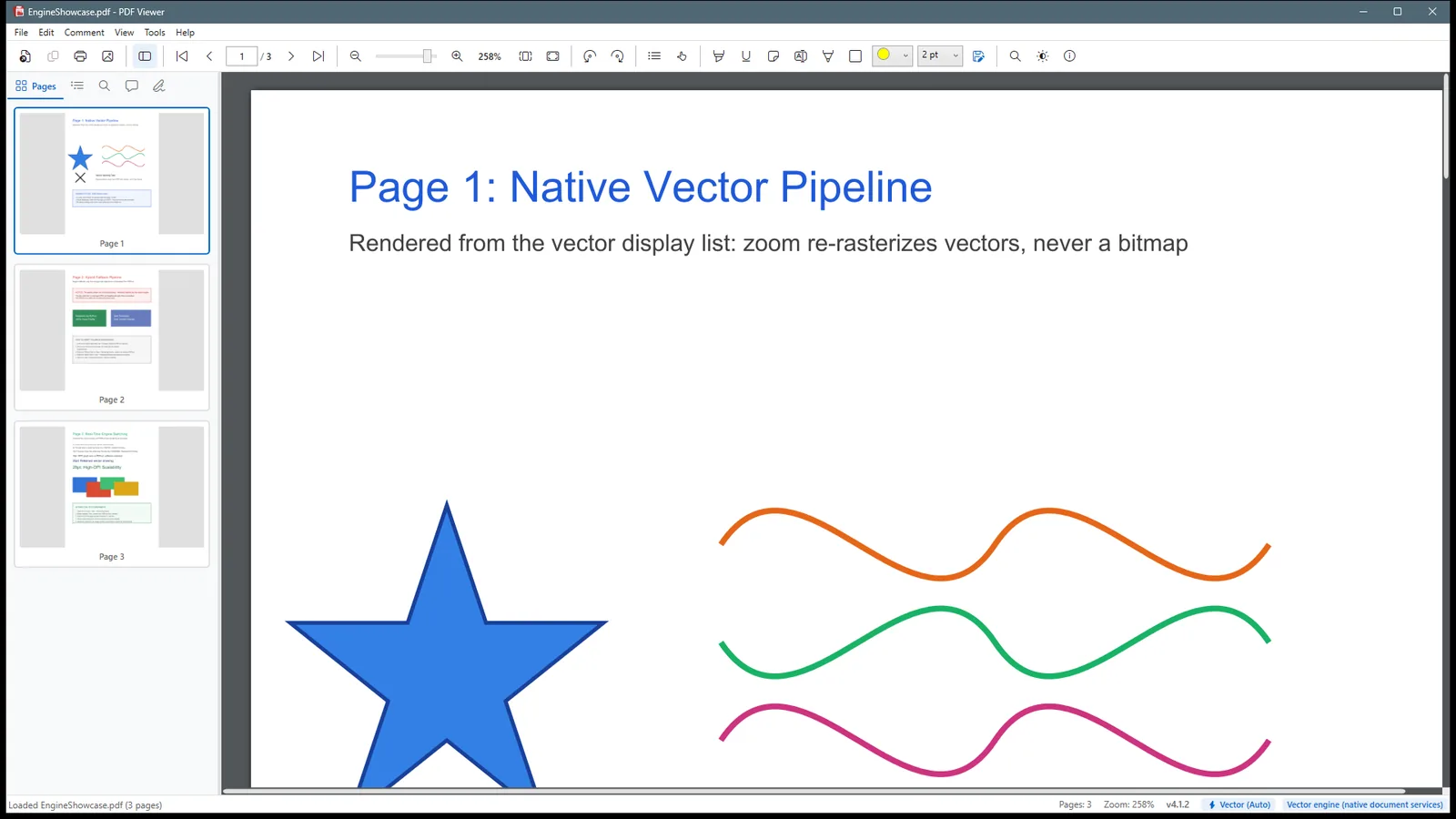
The engine, PdfEngine.Vector, is pure C# (.NET 9). The published app contains no PDFium.
Windows app
WPF on .NET 9. Direct2D and DirectWrite draw the pages; a WPF renderer is the fallback.
Web demo
Runs in the tab as WebAssembly; nothing is uploaded. There are no cookies, no analytics and no third-party requests.
Android
Reads, fills forms, annotates with shapes, text boxes and stamps, and saves into the opened file. In a Google Play closed test. Build from source, or take the APK artifact of the android.yml workflow.
Features
Everything you do with a PDF
It views, searches, annotates, measures, stamps, fills forms, signs, redacts, edits text and images, tags for accessibility, converts to PDF/A, checks print output, and exports to Word, Excel and PowerPoint.
View
Continuous, single-page and facing views; zoom from 25 % to 1600 %, sharp at every zoom; tabs, bookmarks, thumbnails, night mode, full screen and navigation history.
Read
Read mode that screen readers can navigate, tagged-PDF reading order, Read Aloud, PDF/UA-1 accessibility check, and Make Accessible (auto-tagging).
Select and search
Word-processor text selection, search with a results list, and OCR for scanned pages (Windows OCR, on this computer).
Comment and measure
Highlights, notes, ink, and shapes with fill, dash and line endings; distance, perimeter and area measuring with snapping; standard, dynamic and custom stamps; annotation edit handles.
Edit
Text and images in place, page organisation, merge and split, headers, footers, watermarks and Bates numbers, reduce file size, compare documents.
Forms, signatures and security
Fill and flatten forms, sign (PAdES-B-LT and B-LTA) and verify signatures, password protection (AES-256), true redaction.
Create and convert
PDF from images, a scanner or Office files; PDF/A; export to Word, Excel, PowerPoint, text and images.
Print production
Print with live preview, Output Preview (separations, overprint, total ink) and Preflight.
Fonts a PDF does not embed
Arabic and Indic shaping, a fallback font for each missing character, and the right Chinese, Japanese or Korean font for the language. Installed OpenType (.otf) and per-user fonts are used too.
Privacy and safety
A document is data. It never acts.
A PDF can carry JavaScript, launch actions, embedded files and remote references. Many viewer vulnerabilities come from these features.
- No script engineThe engine has no JavaScript interpreter. A test checks that no JavaScript runtime ships with the app.
-
Active content is never runJavaScript,
/Launchactions and embedded files are parsed, reported and left inert. - No telemetry, no accountNothing about you or your documents is recorded or sent. There is no sign-in and no cloud storage.
- Network only when you askThe update check is off until you allow it. Optional components download only when you ask.
- Its own enginePure C# on .NET 9. The published app contains no PDFium.
- Published bill of materialsEvery release ships CycloneDX and SPDX SBOMs.
- Open sourceMIT licence. Read the code, build it, and take part.
- Signed releasesBuilt only by this repository's release workflow from tagged source. Code signing policy.
For developers
Put the engine in your web page or your .NET app
The same engine is a script for web pages and a set of NuGet packages. Both are previews: the API can change before version 1.0.
Web embed SDK
Show PDF files in your web page. The API follows the Adobe PDF Embed API, with no client ID, no server and no telemetry.
npm install pdfviewer-embedNuGet packages
PdfEngine.Abstractions, PdfEngine.Vector and PdfEngine.Vector.Skia. Open, read, search, edit and save PDF files, and draw pages with Skia. For .NET 9; the source on main also targets .NET 10.
dotnet add package PdfEngine.Vector.Skia --prereleaseAPI reference
The API reference of the NuGet packages, with short guides.
using PdfEngine.Vector.Document;Live
See the embed SDK in this page
This box uses the web embed SDK in the sized container mode. The engine runs in your browser as WebAssembly. The PDF is written by the page itself, so nothing is uploaded.
const view = new PdfViewer.View({ divId: 'viewer' });
view.previewFile(
  { content: { location: { url: '/files/report.pdf' } },
    metaData: { fileName: 'report.pdf' } },
  { embedMode: 'SIZED_CONTAINER' });
The viewer loads only when you click, and only from this site.
Compared
Compared with the Adobe PDF Embed API
The JavaScript API follows the Adobe PDF Embed API, so code written for it needs few changes.
| This SDK | Adobe PDF Embed API | |
|---|---|---|
| Credentials | None | A client ID, registered for your domain |
| Where the viewer comes from | Your choice: this site, or your own copy of the files (static files only) | Adobe’s servers |
| Where the PDF is rendered | In the reader’s browser (WebAssembly) | In the reader’s browser |
| Events | Only to the callbacks of your page; nothing is sent anywhere | To your callbacks; optional Adobe Analytics |
| Embed modes | Full window, sized container, in line, light box | The same |
| Annotations, comments, save | Highlight, underline, strike-through, note, free text, ink, rectangle, ellipse, line, arrow, polygon, connected lines (with fill, dash and line endings), standard stamps; annotation manager; XFDF; SAVE_API |
Available, with more types |
| Forms | Fill text, check box, radio, combo and list fields; calculations without JavaScript | Available |
| Licence | MIT, open source | Adobe terms |
Documentation
Read the documentation
- Getting startedGet each part
- FeaturesUser guide and keyboard shortcuts
- Web embed SDKOptions, events, APIs
- SDK examplesEmbed modes, annotations, forms
- Use the engine as a libraryNuGet packages and an example
- API referencePdfEngine packages
- Build from sourceBuild, test and package
- ArchitectureEngine and renderers
- Privacy policyWhat the app never does
- Microsoft Store buildThe MSIX package
- Engine design recordDesign and status
- Contributing guideTake part
Open your next PDF with it
Open source under the MIT licence. No account, no telemetry, and your documents never leave your computer.